
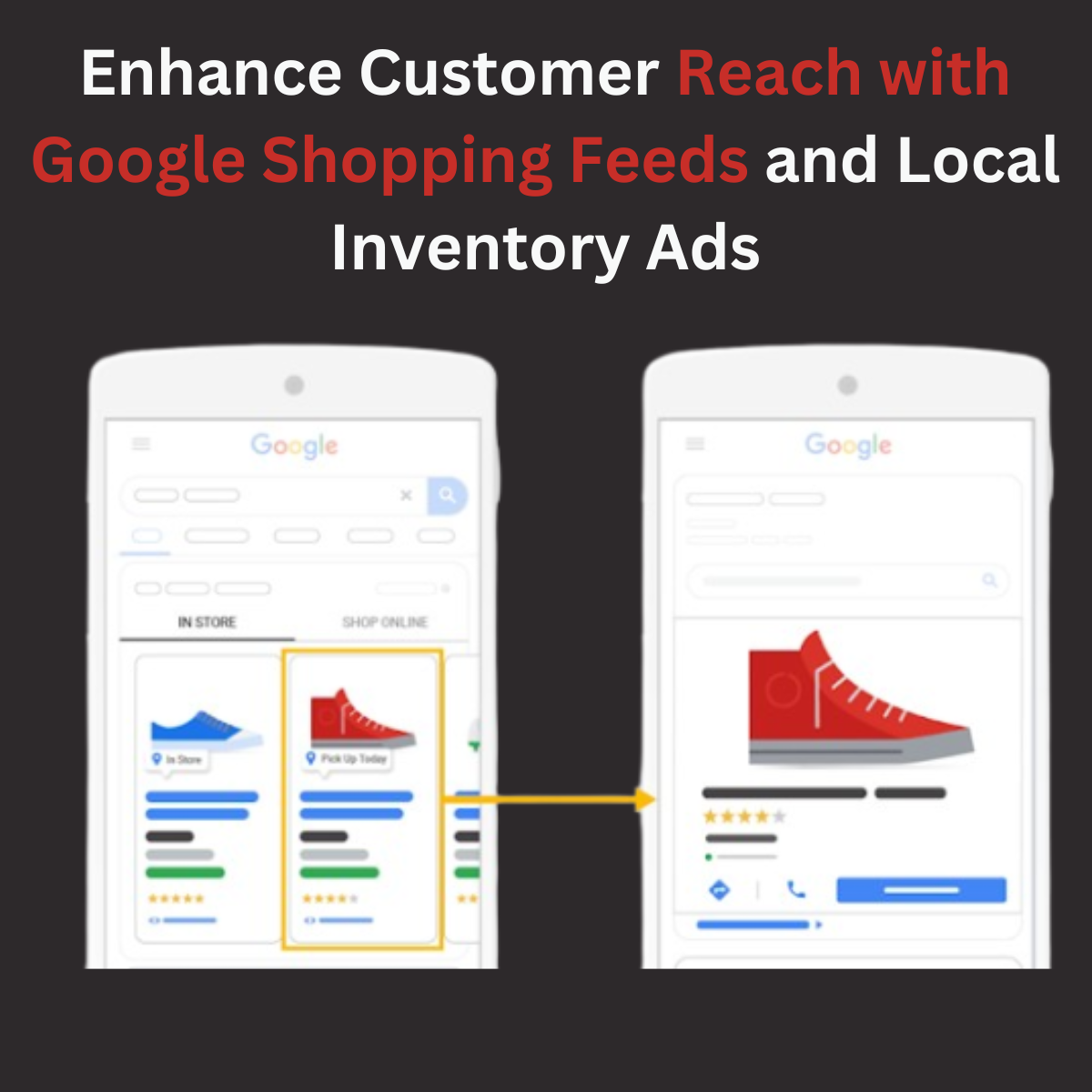
In today’s competitive e-commerce landscape, businesses must leverage every tool to reach customers effectively. Two powerful tools that can help you achieve this are Google Shopping Feeds and Local Inventory Ads. These tools can significantly enhance your customer reach, drive more traffic to your online and physical stores, and ultimately boost sales. By using these strategies, you can improve local search visibility, optimize your product listings, and create a seamless shopping experience for both online and in-store customers. In this blog, we’ll explore how these tools work, their benefits, and how you can integrate them into your marketing strategy for optimal results.
What Are Google Shopping Feeds?
A Google Shopping Feed, also known as a shopping feed or Google Shopping product feed, is a file that contains detailed information about the products you sell. This data is uploaded to Google Merchant Center and is used to create Google Shopping Ads. The feed includes essential details such as product titles, descriptions, prices, images, and availability.
The Google Shopping Data Feed is the backbone of your Shopping Ads campaign. Without a well-optimized feed, your ads may not perform as expected. A high-quality feed ensures that your products are displayed accurately and attractively to potential customers.
What Are Local Inventory Ads?
Local Inventory Ads (LIAs) are a type of Google ad that allows retailers to showcase products available in their physical stores. These ads are particularly useful for businesses with both online and offline presence. When a customer searches for a product on Google, Google Local Inventory Ads display real-time inventory information, along with the store’s location and directions.
To run these ads, you need to create a Google Local Inventory Feed, which includes details like product availability, store location, and pickup options. This feed is uploaded to Google Merchant Center, similar to the Google Shopping Feed.
Why Combine Google Shopping Feeds and Local Inventory Ads?
Combining Google Shopping Feeds and Local Inventory Ads can create a seamless shopping experience for your customers. Here’s how:
- Reach Customers at Every Stage of the Buying Journey
- Google Shopping Feeds help you attract customers who are searching for products online.
- Local Inventory Ads target customers who are ready to buy and prefer to shop in-store.
- Increase Visibility Across Platforms
- Your products will appear in Google Search, Google Shopping, and even Google Maps, ensuring maximum visibility.
- Drive Both Online and In-Store Sales
- By integrating Google Shopping Data Feed and Google Local Inventory Feed, you can cater to both online shoppers and those who prefer in-store purchases.
- Enhance Customer Trust
- Displaying real-time inventory information through Google Local Product Feed builds trust and encourages customers to visit your store.
How to Optimize Your Google Shopping Feed for Better Results
To make the most of your Google Shopping Feeds, follow these optimization tips:
- Provide Accurate and Detailed Product Information
- Ensure that your shopping feed includes clear product titles, high-quality images, and accurate descriptions.
- Use Relevant Keywords
- Incorporate keywords that customers are likely to search for. This will improve your product’s visibility in search results.
- Keep Your Feed Updated
- Regularly update your Google Shopping Data Feed to reflect changes in pricing, availability, or product details.
- Optimize for Mobile
- Since many customers shop on their mobile devices, ensure that your feed is mobile-friendly.
How to Set Up Local Inventory Ads
Setting up Google Local Inventory Ads involves a few key steps:
- Create a Google Local Inventory Feed
- This feed should include product details, store locations, and real-time inventory information.
- Verify Your Store Locations
- Use Google My Business to verify your physical store locations.
- Link Your Google Merchant Center and Google Ads Accounts
- This allows you to manage your Google Local Inventory Ads and Google Shopping Feeds in one place.
- Enable Local Inventory Ads in Google Ads
- Once your feed is uploaded and approved, you can start running Local Inventory Ads.
Benefits of Using Google Shopping Feeds and Local Inventory Ads Together
- Improved Customer Experience
- Customers can easily find your products online and check if they’re available in a nearby store.
- Higher Conversion Rates
- By targeting both online and offline shoppers, you increase the chances of converting leads into sales.
- Better ROI on Ad Spend
- Combining these tools allows you to maximize your advertising budget by reaching a wider audience.
- Competitive Advantage
- Many businesses still rely on traditional advertising methods. By using Google Shopping Feeds and Local Inventory Ads, you can stay ahead of the competition.
Real-Life Example: How a Retailer Boosted Sales with Google Shopping Feeds and Local Inventory Ads
Consider a mid-sized electronics retailer that wanted to increase both online and in-store sales. They started by optimizing their Google Shopping Feed, ensuring that all product details were accurate and up-to-date. Next, they set up a Google Local Inventory Feed to showcase their in-store inventory.
Within a few months, the retailer saw a 30% increase in online sales and a 20% boost in foot traffic to their physical stores. Customers appreciated the ability to check product availability online before visiting the store, which led to higher customer satisfaction and repeat business.
Common Mistakes to Avoid
- Neglecting Feed Optimization
- A poorly optimized shopping feed or local inventory feed can lead to low ad performance.
- Ignoring Local SEO
- For Local Inventory Ads to work effectively, you need to optimize your Google My Business profile and local SEO efforts.
- Failing to Monitor Performance
- Regularly track the performance of your Google Shopping Feeds and Local Inventory Ads to identify areas for improvement.
Conclusion
In a world where customers expect seamless shopping experiences, combining Google Shopping Feeds and Local Inventory Ads is a game-changer. These tools not only enhance your customer reach but also bridge the gap between online and offline shopping. By optimizing your Google Shopping Data Feed and Google Local Inventory Feed, you can attract more customers, drive sales, and stay ahead of the competition.
Whether you’re a small business or a large retailer, now is the time to leverage the power of Google Shopping Feeds and Local Inventory Ads. Start today and watch your business grow!

